Fireflies.ai
Cappy’s Quick Take
| At a glance | Details |
|---|---|
| What it is | An AI meeting assistant that records, transcribes and summarizes your calls |
| Pricing | Freemium · Pro from $10/user/month · Business from $19/user/month · Enterprise $39/user/month (annual billing) |
| Free plan | Yes, with limits on AI credits, summaries and storage |
| Works with | Zoom, Google Meet, Microsoft Teams, plus 50+ apps like CRMs and project management tools |
| Best for | Sales teams, small teams and anyone in back-to-back calls |
| Cappy Score | 4.3/5 |
Always confirm on the official pricing page before you buy.
What is Fireflies.ai?
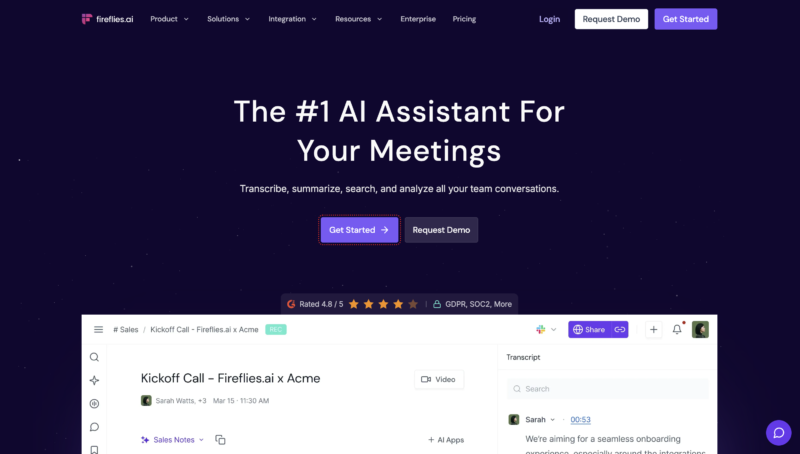
Fireflies.ai is an AI meeting assistant that joins your Zoom, Google Meet and Microsoft Teams calls as a note-taker. It records the conversation, writes a full transcript and turns it into a structured summary with an overview, detailed notes and action items.
After the call, every meeting lands in a searchable Notebook. You can jump to the moment a topic came up, ask the built-in assistant AskFred questions about what was said, clip key moments to share, and push tasks and notes into your CRM or project management tool.
It’s built for people whose work happens in meetings: sales reps logging calls, managers running team syncs, and anyone who’d rather listen than type notes. It isn’t a video editor, and its free plan is best for trying it out rather than heavy daily use.
Key features
- Automatic meeting notes: Fireflies can auto-join the meetings on your calendar, record them and produce a transcript without you pressing a button.
- AI summaries: Each meeting gets an overview, detailed notes and action items, and you can customize what the summary includes.
- AskFred: Ask questions about one meeting or many, like “What did the client say about budget?”, and get answers from your transcripts.
- Search across meetings: Find past calls by title, host, date or any word spoken in the transcript.
- Soundbites and playlists: Clip important moments manually or with AI suggestions, then group them into playlists to share.
- 100+ languages: Transcribe meetings in more than 100 supported languages.
- Upload recordings: Transcribe existing MP3, MP4, WAV or M4A files.
- Tasks and integrations: Extract action items and send them to 50+ apps, including CRMs, project management tools and dialers.
- Fireflies Talk: Voice dictation in the desktop app, so you can talk instead of type in any app.
- Team collaboration: Shared notebooks, timestamped comments, reactions and bookmarks, with playback at up to 3x speed.
Pricing plans
| Plan | Price per user | Good for |
|---|---|---|
| Free | $0 | Trying Fireflies on a few meetings and seeing if AI notes fit your workflow |
| Pro | $10/month billed annually, or $18 billed monthly | Individuals and small teams who need more storage, AI credits and transcript downloads |
| Business | $19/month billed annually, or $29 billed monthly | Teams that want unlimited storage, private channels and more admin control |
| Enterprise | $39/month, billed annually | Larger companies with advanced security, compliance and admin needs |
Which plan should you pick? Start on Free to test it on real meetings. Move to Pro once you rely on it every week, and choose Business when your whole team records calls and you need unlimited storage and private channels. Annual billing saves about 44% on Pro and 34% on Business compared with paying monthly.
Fireflies free plan: what you get
| Feature | Free plan |
|---|---|
| Meeting transcription | Unlimited when Fireflies auto-joins your meetings |
| AI summaries | Limited by transcription credits (3 to 10 when you sign up, depending on where you join) |
| AI credits | 20 per month for AskFred, AI soundbites and AI skills |
| Storage | 400 minutes per seat |
| Uploads | MP3, MP4, WAV or M4A, up to 100 MB and 150 minutes per file |
| Languages | 100+ |
| Integrations | All 50+ integrations included |
| Downloads | Transcript downloads need a paid plan |
The catch: Fireflies will transcribe as many meetings as it auto-joins, but summaries use credits and storage fills up at 400 minutes, which is roughly six or seven hour-long meetings. After that, you’ll need to delete old recordings or upgrade.
Who is Fireflies.ai for?
- Sales teams: log call notes, objections and next steps, and send them straight to the CRM.
- Managers and team leads: keep a searchable record of one-on-ones, standups and planning calls.
- Recruiters: capture interview answers without typing during the conversation.
- Consultants and agencies: share clean recaps with clients after every call.
- Remote teams: let people who missed a meeting catch up in minutes.
Consider something else if you don’t want a bot visibly joining your calls, or you need unlimited storage without paying.
Pros and cons
Pros
- Generous core features on the free plan, including all integrations
- Strong search and AskFred make old meetings genuinely useful
- Works across Zoom, Google Meet and Microsoft Teams
- 100+ languages for international teams
- Affordable paid plans, especially with annual billing
Cons
- The meeting bot joins calls as a participant, which some guests find awkward
- Free storage (400 minutes) and AI credits run out quickly with regular use
- Transcript downloads require a paid plan
- Credits and limits take a little time to understand
Fireflies.ai alternatives
| Tool | Why consider it |
|---|---|
| Otter.ai | A well-known AI note-taker with a long track record in transcription |
| Fathom | Popular for its free plan and quick, simple meeting summaries |
| tl;dv | Records and clips meetings, a favorite with product and customer research teams |
| Granola | A bot-free option that takes notes on your computer instead of joining the call |
| Read.ai | Adds meeting analytics, such as talk time and engagement, alongside notes |
How to get started with Fireflies
- Sign up free with your Google or Microsoft work account. Joining through the Chrome extension or mobile app gives you a few extra starter credits.
- Connect your calendar so Fireflies can see your upcoming Zoom, Google Meet and Teams meetings.
- Choose auto-join settings: have Fireflies join all meetings, only ones you host, or only the ones you invite it to.
- Review your first recap: open the meeting in your Notebook, check the summary and action items, and connect your CRM or task tool to send them automatically.
Tip: let guests know Fireflies is recording at the start of a call. It builds trust, and recording laws in some places require everyone’s consent.
Frequently asked questions
Is Fireflies.ai free?
Yes. The Free plan costs $0 and includes unlimited transcription for meetings Fireflies auto-joins, 20 AI credits a month, 400 minutes of storage and all integrations.
How much does Fireflies Pro cost?
Pro costs $10 per user per month billed annually, or $18 billed monthly.
Does Fireflies work with Zoom, Google Meet and Microsoft Teams?
Yes. Fireflies joins calls on all three as a note-taker and works with 50+ other apps, including CRMs and project management tools.
How many languages does Fireflies support?
Fireflies transcribes meetings in more than 100 languages.
Can I transcribe recordings I already have?
Yes. You can upload MP3, MP4, WAV or M4A files. On the Free plan, each file can be up to 100 MB and 150 minutes, and each upload uses one transcription credit.
Will people know Fireflies is in the meeting?
Yes. The Fireflies note-taker joins as a visible participant, so it’s good practice to tell guests at the start that the call is being recorded.